If you are using a Windows operating system, hold down the Alt key and enter the ASCII number on the numeric keypad.
Alt + 13 = ♪
Alt + 14 = ♫
2669 = ♩
266A = ♪
266B = ♫
266C = ♬
266D = ♭
266E = ♮
266F = ♯
You can also use Alt + the Unicode value.
In Linux, you can do this by pressing Ctrl+Shift+u followed by the Unicode value in Hex, then press Enter. However, in most linux cases, the Ctrl+Shift+U combination usually takes a desktop screenshot. If you know any other combinations, improve above.
In Mac OS X, click the flag icon in the right side of your menubar, and choose "Show Character Viewer." On the left side of that window, choose "Miscellaneous Symbols" and scroll down for notes (♩♪♫♬) or "Musical Symbols" for accidentals, barlines and clefs (�� �� �� �� �� ♭ ♮ ♯ �� ��).
If you have no flag icon, or if the Character Viewer is not one of the options, open System Preferences (from the Apple menu at the top left), and click "Lanugage & Text," and then "Input Sources" to enable Character Viewer.
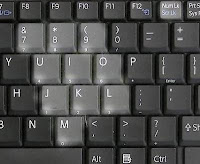 HINTS:
* Make sure your keyboard is in NumLock mode.
* Note that many laptops have a blue FN key that changes a set of keys (also with blue numbers on them), into a numeric keypad.
*
o Windows (before XP): Start>Programs>Accessories>System>Character Map
o Windows (XP and beyond): Start>All Programs>Accessories>System>Character Map
o Ubuntu (probably other GNOME based Linux distros too): Applications>Accessories>Character Map
 o Mac OSX: http://www.ncmug.org/tips/character_palette.html
* Linux using KDE: click the KDE menu and type Character Map
Related Posts:
Alt + 13 = ♪
Alt + 14 = ♫
2669 = ♩
266A = ♪
266B = ♫
266C = ♬
266D = ♭
266E = ♮
266F = ♯
You can also use Alt + the Unicode value.
In Linux, you can do this by pressing Ctrl+Shift+u followed by the Unicode value in Hex, then press Enter. However, in most linux cases, the Ctrl+Shift+U combination usually takes a desktop screenshot. If you know any other combinations, improve above.
In Mac OS X, click the flag icon in the right side of your menubar, and choose "Show Character Viewer." On the left side of that window, choose "Miscellaneous Symbols" and scroll down for notes (♩♪♫♬) or "Musical Symbols" for accidentals, barlines and clefs (�� �� �� �� �� ♭ ♮ ♯ �� ��).
If you have no flag icon, or if the Character Viewer is not one of the options, open System Preferences (from the Apple menu at the top left), and click "Lanugage & Text," and then "Input Sources" to enable Character Viewer.
 HINTS:
* Make sure your keyboard is in NumLock mode.
* Note that many laptops have a blue FN key that changes a set of keys (also with blue numbers on them), into a numeric keypad.
* If you don't have a numeric keypad for some reason, you can open the character map (available on any OS), which will allow you to choose from a graphical list of all available characters by selecting them, also allowing you to search by unicode number and several other options:
*
o Windows (before XP): Start>Programs>Accessories>System>Character Map
o Windows (XP and beyond): Start>All Programs>Accessories>System>Character Map
o Ubuntu (probably other GNOME based Linux distros too): Applications>Accessories>Character Map
o Mac OSX: http://www.ncmug.org/tips/character_palette.html* Linux using KDE: click the KDE menu and type Character Map
Related Posts:


